
Appearance
Theming
Material derives a whole scheme from one color. Every role, in both modes, follows from it, so the theme carries a handful of values instead of a hundred and eighteen, and can change them at runtime without a rebuild.
The source color
php
use Saade\FilamentMaterialTheme\FilamentMaterialThemePlugin;

FilamentMaterialThemePlugin::make()
    ->source('#6750A4');
This is the seed, not the primary. Material derives the primary from it, along with the secondary, the tertiary, every surface tone and every outline color. Handing it your brand color is the whole of theming in the usual case.
Default: #1B48A5, also readable as MaterialScheme::DEFAULT_SOURCE.
Scheme variants
php
FilamentMaterialThemePlugin::make()
    ->source('#6750A4')
    ->variant('tonalSpot');
Material publishes nine ways of deriving a scheme from a source, and they differ in how much of the source's chroma survives: monochrome, neutral, tonalSpot, vibrant, expressive, fidelity, content, rainbow and fruitSalad.
Default: tonalSpot, the most restrained. fidelity and content keep the source closest, which is what to use when the brand color has to be recognizable rather than merely present.
A very saturated brand color will be muted
tonalSpot clamps chroma, so a vivid source comes out considerably quieter than it went in. That is the variant working as specified. If the exact color matters, use fidelity.
Pinned accents
A seed is enough on its own: Material picks the accents off it by the rules of the chosen variant. A brand that already owns its secondary or tertiary can pin that one and leave the rest derived.
php
FilamentMaterialThemePlugin::make()
    ->source('#6750A4')
    ->secondary('#625B71')
    ->tertiary('#7D5260');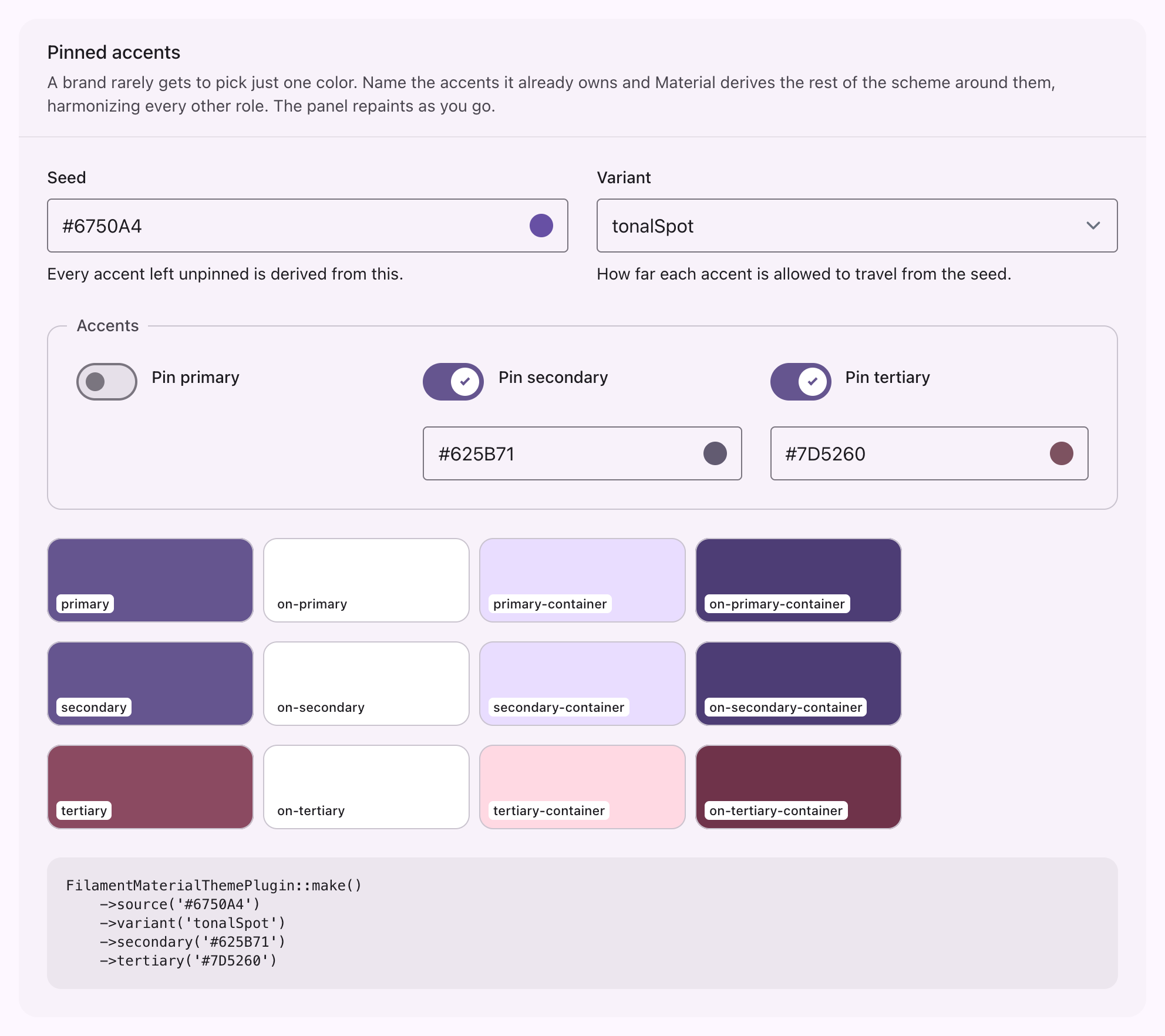
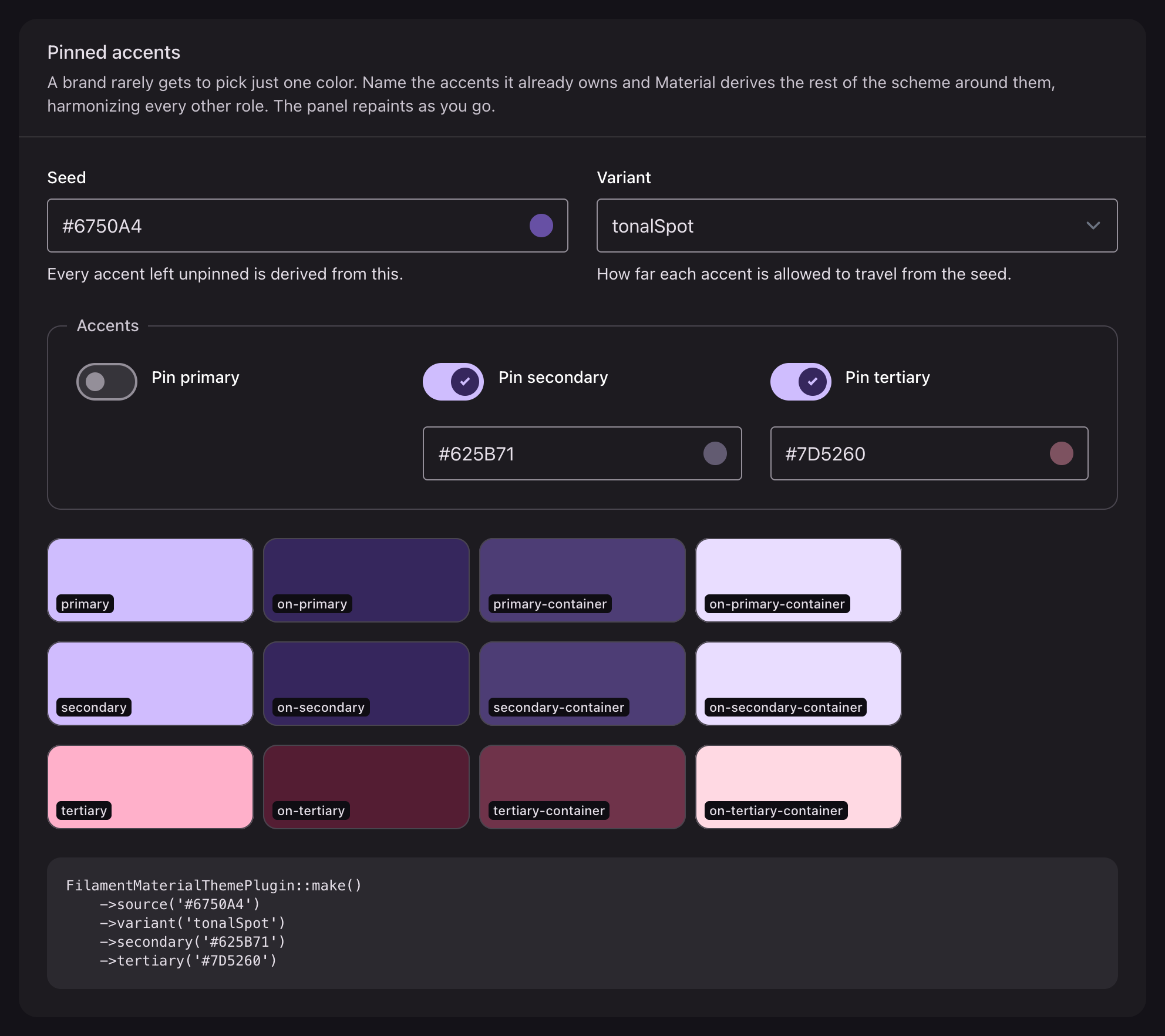
Pinning is per role, so naming a secondary does not oblige you to name a tertiary. Anything left unnamed is derived as before, and the seed still decides every neutral, every surface tone and every step of the tonal ramp.
| Method | Default | Effect |
|---|---|---|
primary(string|Closure|null) | derived | Pins the primary accent, and becomes the seed |
secondary(string|Closure|null) | derived | Pins the secondary accent |
tertiary(string|Closure|null) | derived | Pins the tertiary accent |
Each takes a closure, evaluated per request like the seed. Passing null leaves the role derived.
A pinned color contributes its hue, not its chroma
The palette a pinned accent joins supplies the chroma, so the rendered color is rarely the exact hex you passed. secondary('#7D5260') on the default seed renders as #8b4a61: the same hue, at the scheme's saturation. That is deliberate, and it is what keeps a hand-picked palette from reading as garish and from breaking Material's contrast guarantees. If you need the exact color, reach for the fidelity variant with that color as the seed instead.
primary() replaces the seed
Material's seed slot is the primary, so pinning one makes it the seed: with both set, source() has no effect at all, and the neutrals follow the pinned primary rather than the seed you wrote.
php
FilamentMaterialThemePlugin::make()
    ->source('#1B48A5')     // ignored
    ->primary('#7D5260');   // seeds the whole scheme
Set one or the other. source() is the one to reach for unless you specifically want the primary pinned while a secondary or tertiary is pinned alongside it.
Only these three roles are exposed. Material's neutral, neutral variant and error palettes are always derived.
Contrast
php
FilamentMaterialThemePlugin::make()
    ->contrast(0.5);
Runs from -1 for reduced contrast through 0, the default, to 1 for high contrast. Material treats this as a user preference rather than a design decision, which is worth remembering before hardcoding anything other than 0.
Per request
Every one of them takes a closure, evaluated per request rather than once, so a panel can hand it a color its users have chosen:
php
FilamentMaterialThemePlugin::make()
    ->source(fn (): string => auth()->user()?->brand_color ?? '#6750A4')
    ->variant(fn (): string => auth()->user()?->scheme ?? 'tonalSpot')
    ->contrast(fn (): float => auth()->user()?->contrast ?? 0.0)
    ->secondary(fn (): ?string => auth()->user()?->accent_color);
At runtime
The scheme is built in the browser from the values the plugin ships in the page head, so it can be replaced without a page load:
js
document.dispatchEvent(
    new CustomEvent('material-theme:update', {
        detail: { source: '#0B57D0', scheme: 'vibrant', contrast: 0 },
    }),
)
The same function is on the window, for calling directly:
js
window.filamentMaterialThemeApply({ source: '#0B57D0', secondary: '#625B71' })| Key | Type | Default |
|---|---|---|
source | Hex string | Required, unless primary is given; the call returns without either |
scheme | One of the nine variants | tonalSpot |
contrast | Number, -1 to 1 | 0 |
primary | Hex string | Derived from the seed, and becomes the seed when given |
secondary | Hex string | Derived from the seed |
tertiary | Hex string | Derived from the seed |
An accent left out of the payload is derived rather than cleared, which is the same rule the plugin follows.
Everything that reads a role updates at once, in both modes, Filament's own ramps included.
Colors on components
Filament's color names resolve to Material roles rather than to Tailwind ramps:
->color() | Material role |
|---|---|
primary | Primary |
secondary | Secondary |
danger | Error |
success | A custom color added by the theme |
warning | A custom color added by the theme |
info | A custom color added by the theme |
gray | On-surface-variant, over surface-container-high |
Material has no success, warning or info role, and Filament expects all three. The theme adds them as custom colors and runs them through the same harmonization as the rest of the scheme, so they shift toward the brand hue instead of sitting on top of it as stock green, amber and blue.
secondary is not one of Filament's own colors either. Filament composes the class from whatever name it is given, and the theme binds that class, so it resolves without the panel registering anything:
php
Action::make('approve')->color('success');
Action::make('other')->color('secondary');
Dark mode
Both modes are derived from the same source, so there is nothing to configure. Material's container roles are a single ladder that reads correctly either way: a higher container is more tinted in light and lighter in dark. The runtime binds the dark scheme to Filament's own .dark class, so the panel's theme switcher drives it.
Reading the scheme
php
$scheme = $panel->getPlugin('filament-material-theme')->getScheme();

$scheme->source;     // '#6750A4'
$scheme->variant;    // 'tonalSpot'
$scheme->contrast;   // 0.0
$scheme->primary;    // null when it is derived
$scheme->secondary;  // '#625B71'
$scheme->tertiary;   // null when it is derived
$scheme->toArray();  // the payload the browser receives
MaterialScheme is immutable, takes named arguments through MaterialScheme::make(), and holds the fallback in MaterialScheme::DEFAULT_SOURCE. toArray() uses the key scheme for the variant, and leaves an accent out entirely rather than sending it as null, so the runtime can tell "derive this one" apart from a color.