
Appearance
Grouping actions
An ActionGroup renders as a Material menu, and its trigger as a button. Two further shapes are available, both introduced by Material 3 Expressive: the split button and the FAB menu.
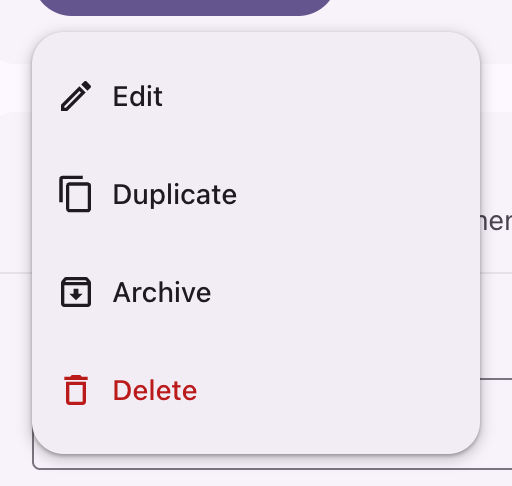
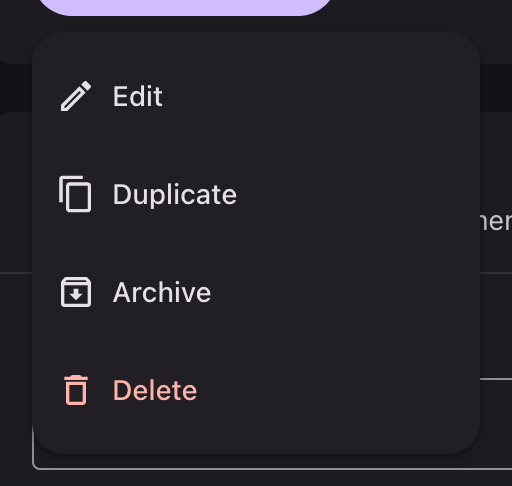
php
use Filament\Actions\Action;
use Filament\Actions\ActionGroup;
use Filament\Support\Icons\Heroicon;

ActionGroup::make([
    Action::make('edit')->label('Edit')->icon(Heroicon::OutlinedPencil),
    Action::make('duplicate')->label('Duplicate')->icon(Heroicon::OutlinedDocumentDuplicate),
    Action::make('delete')->label('Delete')->icon(Heroicon::OutlinedTrash)->color('danger'),
])
    ->label('Open menu')
    ->button();
The panel is a surface-container sheet at elevation 2, holding 48dp rows rounded 12dp of their own. The same sheet renders Filament's select listbox, the color and date picker panels, the table's column manager and filter panel, and the global search results.
The trigger

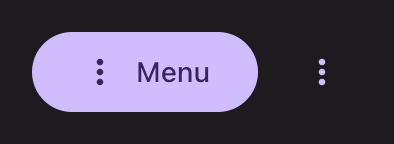
Given a label and ->button() the group renders as a button. Left bare it renders as a kebab icon button. Either takes every button variant:
php
ActionGroup::make([/* ... */])->label('Menu')->button()->tonal();Split button
The first action beside a button that opens the rest. splitButton() reads the leading action off the front of the group, so it joins button() and iconButton() as a way of saying how the group renders rather than taking an argument.


php
ActionGroup::make([
    Action::make('save')->label('Save'),
    Action::make('saveAndClose')->label('Save and close'),
    Action::make('saveAsDraft')->label('Save as draft'),
])
    ->filledButton()
    ->splitButton();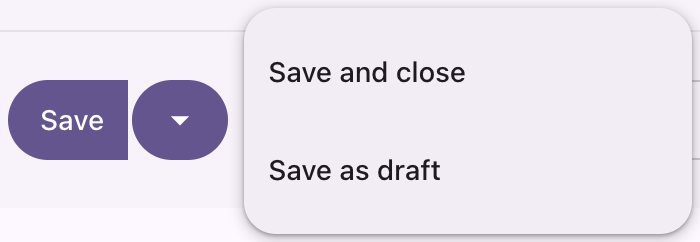
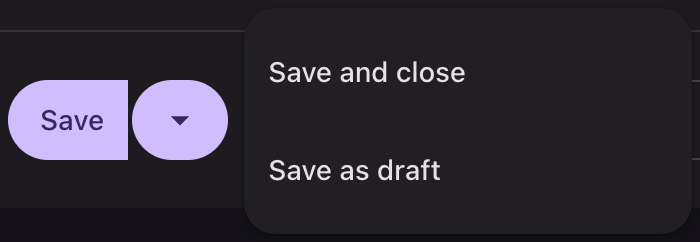
The two halves hold a 2dp gap. The inner corners open from 4dp to 12dp under the pointer, and the trailing half goes fully round while its menu is showing.
Both halves are styled together. A variant, a color or an outline given to the group reaches each of them:
php
ActionGroup::make([/* ... */])->tonal()->color('danger')->splitButton();Given to the leading action instead, the trailing half follows it, so either place works:
php
ActionGroup::make([
    Action::make('save')->label('Save')->tonal()->color('danger'),
    Action::make('saveAndClose')->label('Save and close'),
])->splitButton();
What it does to the group. splitButton() rearranges it: the result is a button group holding the leading action and a nested ActionGroup carrying the rest, so getActions() reports two entries rather than the number you passed. The trailing button takes the group's translated "Actions" label as its accessible name and hides it, since Material gives it nothing but the caret. A variant asked for after splitButton() still reaches both halves; a color or an outline has to be set before it, or on the leading action.
FAB menu
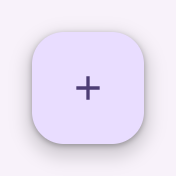
A floating action button that opens the actions belonging to it.

php
ActionGroup::make([
    Action::make('note')->label('New note')->icon(Heroicon::OutlinedPencilSquare),
    Action::make('reminder')->label('New reminder')->icon(Heroicon::OutlinedClock),
    Action::make('list')->label('New list')->icon(Heroicon::OutlinedListBullet),
])
    ->icon(Heroicon::OutlinedPlus)
    ->fabMenu();
The trigger is a FAB, so the icon on the group is the one it carries; without one it falls back to Filament's own.
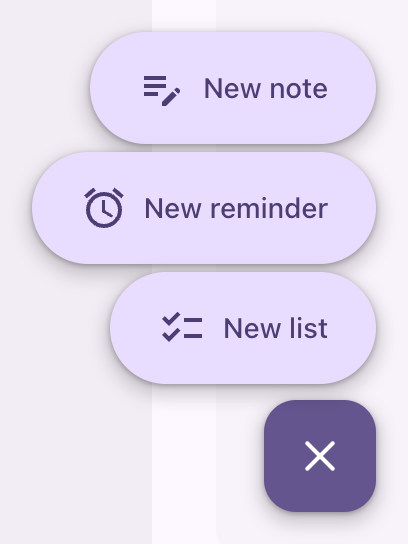
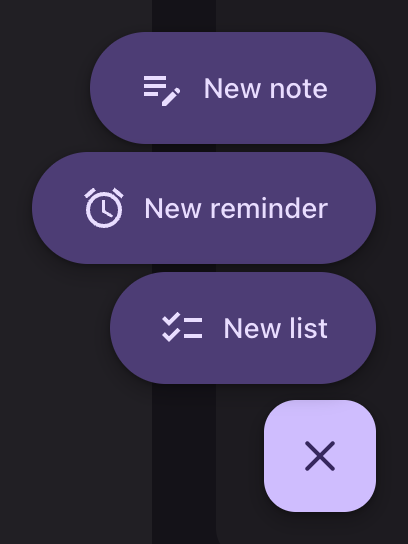
Open, the panel stops being a sheet: it has no container and no elevation, and each action stands as its own pill on the primary container role, 4dp apart. The FAB turns primary and carries a cross until it closes again.
fabMenu() sets dropdownPlacement('top-end'), which is the direction available to a button that floats over the page. A later dropdownPlacement() wins:
php
ActionGroup::make([/* ... */])->fabMenu()->dropdownPlacement('bottom-start');Filament compatibility
button(), iconButton(), label(), icon(), color(), size(), tooltip(), dropdownPlacement(), dropdownWidth(), visible() and hidden() all behave as they do without the theme. splitButton() and fabMenu() both call into that API rather than around it: the first ends in buttonGroup(), the second in fab() plus a dropdown attribute.
API
| Method | Result |
|---|---|
splitButton() | The first action beside a button holding the rest |
fabMenu() | A FAB opening its actions as separate buttons |
Both are registered on Filament\Actions\ActionGroup, which also takes every button variant.